01
Week + month views
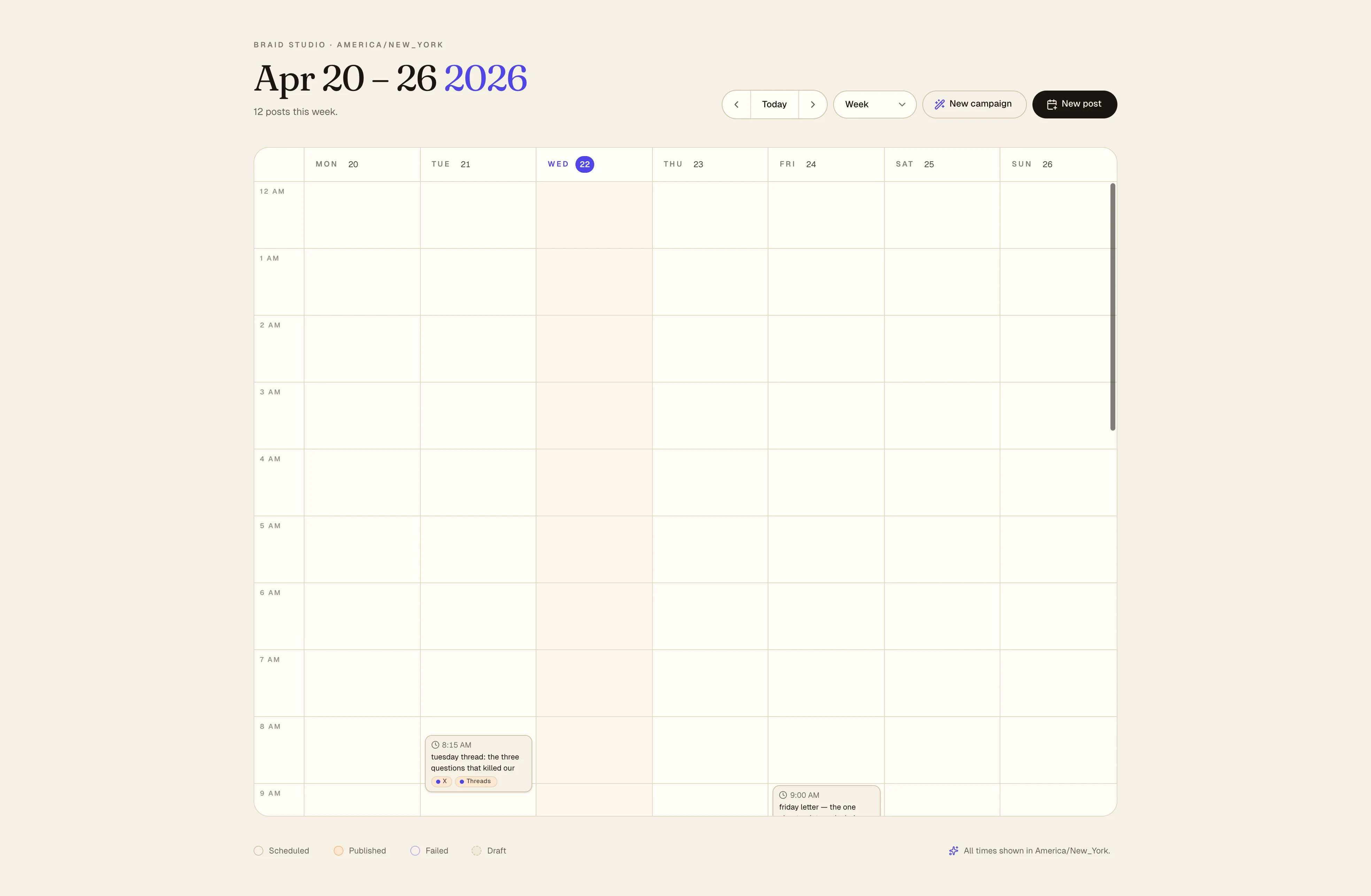
Switch with one key. The grid keeps its shape so your eye isn't re-learning the layout every time you zoom out.
Eight channels, one grid. Drag to reschedule, spot the two-post Tuesday before it ships, and trust the queue even when you haven't opened it in four days.
Drag to reschedule
Grab a post, move it, done. Calendar updates the schedule queue in the same beat; if there's a downstream rule — a reply window, a template end — the system tells you instead of silently breaking it.
Ghost queue & conflicts
Faded ghost slots show where your cadence expects a post. Conflict chips flag two LinkedIns in an hour, back-to-back carousels, or a day that skipped the channel you promised.
Two LinkedIn posts within 42 minutes
Tue 16:00 and 16:42. Your audience skews one-per-day here.
Instagram silent Wed + Thu
You've averaged one reel every 36h. Suggest a slot Thu 12:00.
Launch beat 4 of 7 missing
Template says FAQ post on day 5. Drafted — needs approval.
Cadence settings — per-channel 'one a day, skip Sundays'.
In the drawer · not yet on the shelf
Cadence & templates
Tell the Calendar your cadence — three a week for LinkedIn, daily for X, one a week for YouTube — and it turns the next four weeks into a queue you can fill with drafts, templates, or the Composer. Miss a week, the cadence pauses, not panics.
What ships with Calendar
Not a timeline plug-in. The calendar is how you think in weeks — drag, filter, triage, and ship without opening six tabs.
01
Switch with one key. The grid keeps its shape so your eye isn't re-learning the layout every time you zoom out.
02
Grab a post, drop it where it fits. A snap-to-best-time guide lines the drop up with your cadence, not the clock.
03
Focus on LinkedIn when you're in LinkedIn mode. Bring the rest back when you want the whole weather map.
04
Draft, scheduled, published, failed — coloured chips on each post. You can triage a week without opening a single card.
05
We warn you before you queue three LinkedIn posts in an hour, or ship to a channel that's mid-outage.
06
Nothing ships overnight unless you say so. The calendar doesn't break it on a whim.